Transform your screen into a nostalgic masterpiece
Granulay brings authentic vintage grain texture to your Mac in real-time. Experience the warmth of analog visuals with modern convenience — your screen will never look the same.
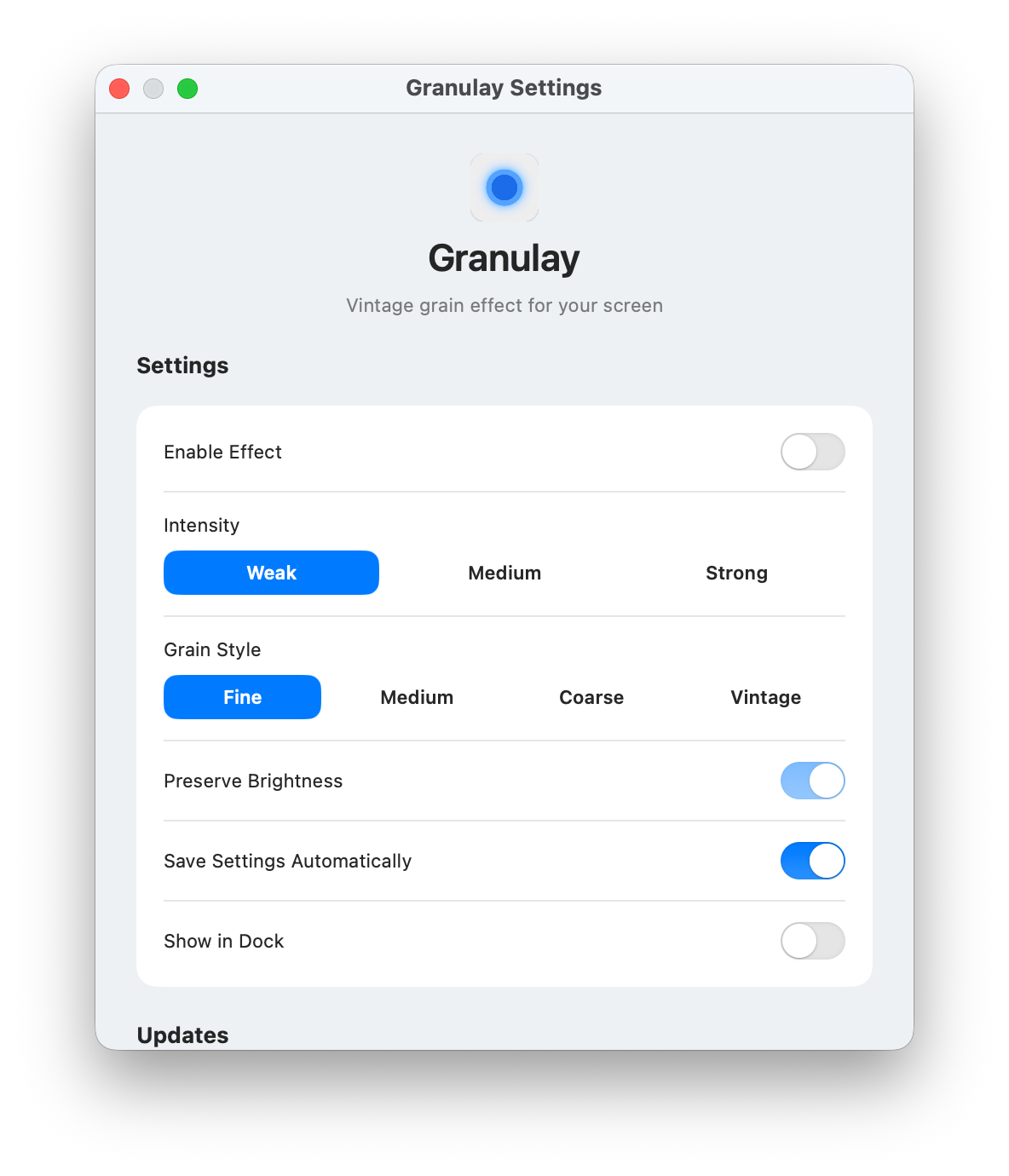
Features that turn your Mac into a VHS tape
Everything you need to give your screen that nostalgic analog feel
Grain Intensity
From subtle to full-blown. Choose how much grain you want to see.
Grain Styles
Fine, medium, coarse. A mood for every look.
Keep Brightness
Add texture without killing the glow. Your screen stays bright — just cooler.
Works with Everything
Compatible with any macOS app. Runs in the background, no interference.
Less Eye Strain
The soft texture helps break the harshness of light, making long sessions easier on the eyes.
Built-in Lo-Fi Station
Listen to relaxing lo-fi music directly in the app while enjoying the beauty of your textured screen.
✨ Made For Those Who Love Style Even On Desktop
If you love aesthetics, nostalgia, or just want a different vibe on your Mac, Granulay is for you.
Designers & Creatives
Make your workspace as stylish as your projects.
Retro Enthusiasts
Love VHS, CRT, lo-fi, or glitch art? Then you already know.
Focus Seekers with Style
The grain adds texture to your screen and reduces visual monotony.
Mac Power Users
If you're spending hours looking at your screen, do it with charm.
Visual People
Photographers, videomakers, and digital artists who value every detail.
👥 What People Are Saying
Once you try a textured screen, there's no going back
Felipe
UX Designer
“Granulay doesn’t boost my productivity, but it boosts my mood. My screen looks so good I almost forget I’m working.”
Carolina
Photographer
“I always thought screen effects were kinda tacky… until I tried this. Now my editing sessions feel like an indie movie + soft nostalgia + warm coffee.”
Pedro
Software Developer
“I stare at code all day, and Granulay became my favorite background. Every time I share a code screenshot, people ask: ‘What’s that cool effect?’”
❓ Frequently Asked Questions
Everything you need to know about Granulay
💻 What Mac versions are supported?
Granulay works on macOS 13.0 (Ventura) or later, both Apple Silicon and Intel Macs with minimum 4GB RAM.
⚡ Does it affect performance?
No! Granulay is optimized for minimal system impact. It runs smoothly in the background without slowing down your Mac.
🔄 Can I turn it off anytime?
Absolutely! Granulay lives in your menu bar for instant on/off control. Toggle the effect whenever you want.
💰 Is this a one-time purchase?
Yes! Pay once and own Granulay forever. Includes all grain styles, free updates, and email support.
📱 Will there be a Windows version?
We're working on it! Currently focused on perfecting the Mac experience, but Windows support is planned.
🛠️ What if I need help?
We provide email support for all users. Contact us anytime and we'll help you get the most out of Granulay.
💬 Need Help or Have Questions?
We're here to help! Reach out anytime for support, feedback, or just to chat.